

- Open the Tella Mac app on your computer
-
Click on the three dots (
...) on the top right of the screen - From there, a menu will appear that shows you the email associated with the account you’re logged in with
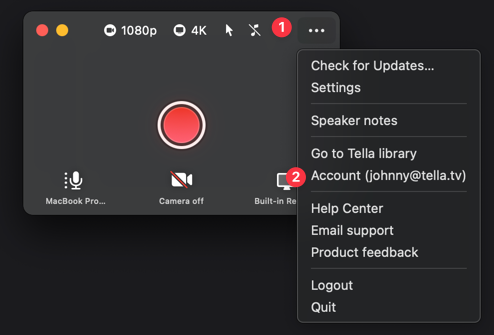
- If this is the wrong account, then click “Logout” and sign in with the correct account